
How to save your EA’s setting
How to save your EA’s setting
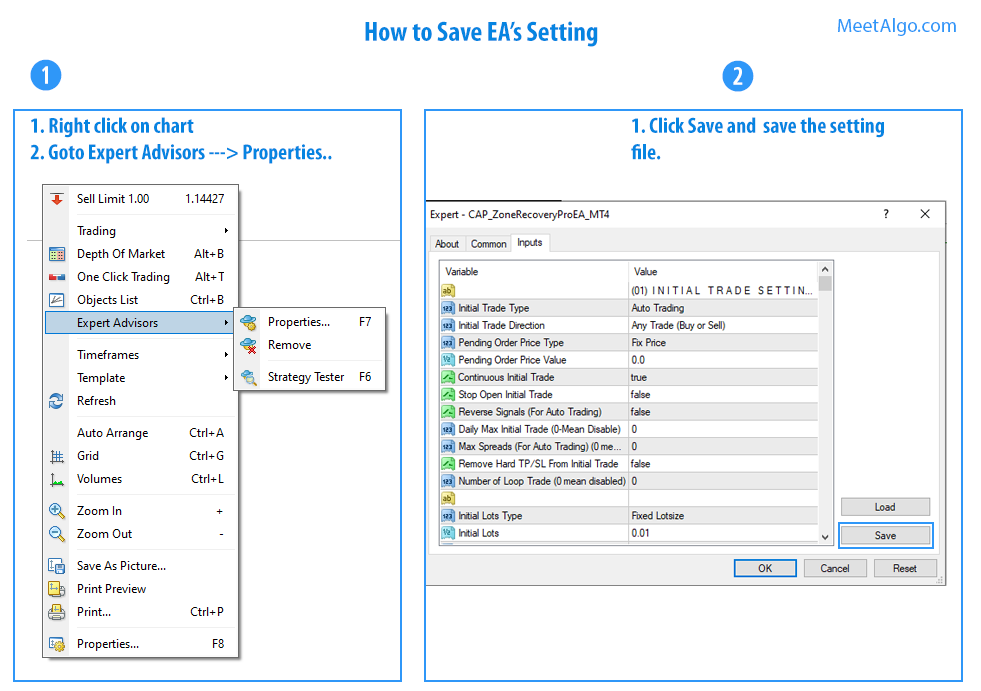
1.1) Right click on chart (If you have already attach EA on chart)
1.2) Goto Expart Advisors->Properties
1.3) Select Inputs Tabs
1.4) Click Save button
Risk warningTrading involves risk. You could lose more than your initial investment. Hypothetical / past performance does not guarantee future results.