
Step #3 – Generate Serial Key
MeetAlgo products can use two types of activation:
- Online Activation
- Offline Activation
Currently, all MeetAlgo Membership plans use Online Activation.
Offline Activation is still available only for selected old products or special products that use a generated serial key from the website.
How Offline Key Generate
Use this section only if your product requires an offline serial key.
1) Open your account dashboard
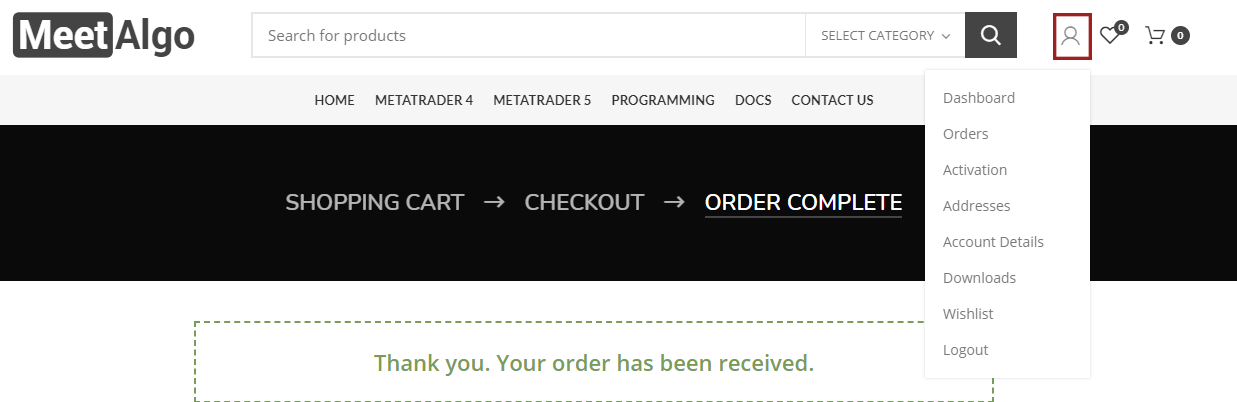
- Click the User button on the MeetAlgo website.
- If you are not logged in, log in to your account first.
- Click Dashboard.
- Go to Activation.
2) Select your product
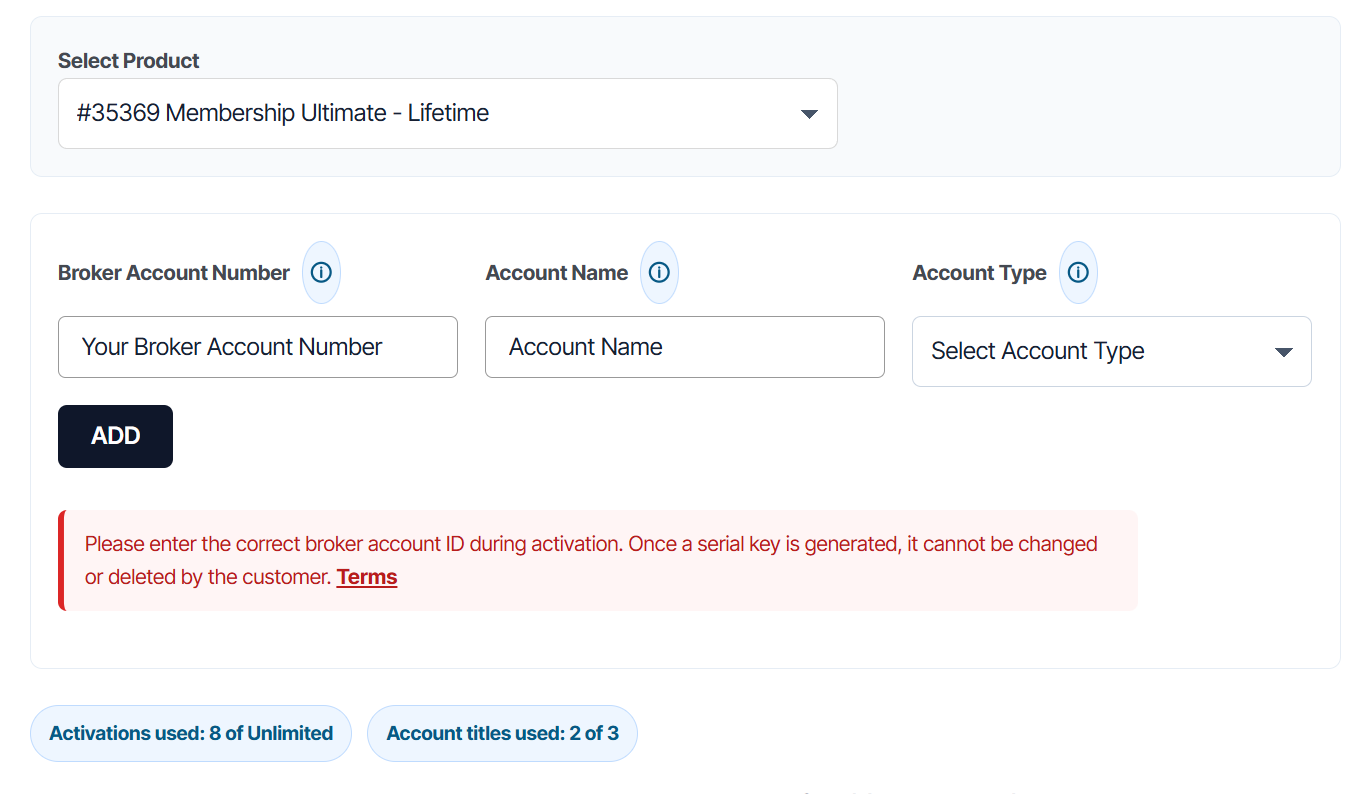
Select the product/order from the Select Product dropdown.
3) Enter your account details
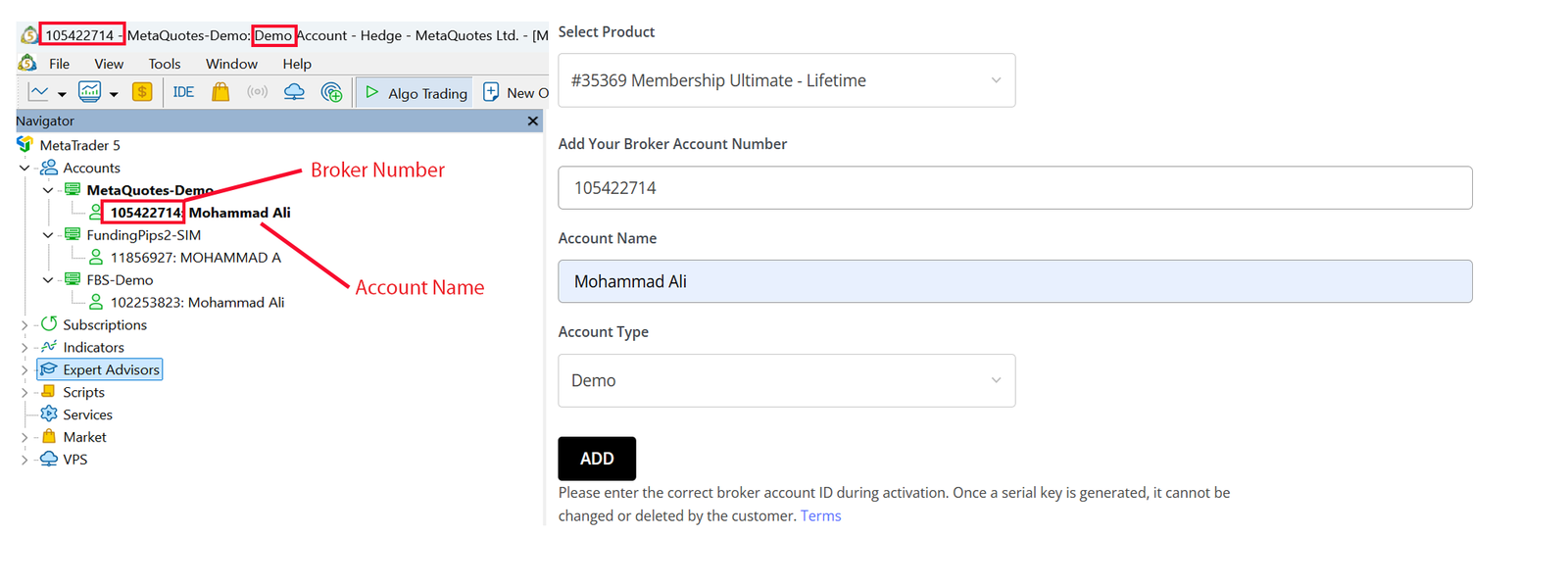
In the new activation system, enter the following details carefully:
- Broker Account Number — enter the exact broker account number from your trading terminal.
- Account Name — enter the exact account name shown in your trading terminal.
- Account Type — select Demo or Live.
After entering the correct details, click Add to generate your serial key.
4) Copy your serial key
After the key is generated, click Copy and paste the serial key into the product input box inside your EA/indicator settings.

5) Editing account name or account type
The new activation system includes an Edit option.
- If you selected the wrong Account Type, you can edit it.
- After editing the account name or account type, a new serial key will be generated.
- As before, once a key is generated, the Broker Account Number cannot be edited.
6) Activations used and left
The activation page shows how many activations you have already used and how many are still left for the selected product.
(1/2)
Example: if the page shows Activations used: 8 of Unlimited, it means 8 activations have already been used and the product has unlimited activation availability according to your license.
7) Account titles used and left
The activation page also shows Account titles used.
What is an account title?
An account title means a unique trading account name.
By default, a maximum of 3 different account names can be used with the new activation system.
Please choose your account name carefully. If your broker uses a default company name, broker name, or account-type name as the account title, that may not count toward the account-title restriction.
If your broker uses this type of default account name, please contact MeetAlgo support for assistance.
Important Note
- Every product comes with [getactivation] activations. Mean you can use purchase product [getactivation] different accounts. The account can be a demo account or a live account.
- If you want more activation I mean if you want to use more than [getactivation] different account then you have to buy the product again.
- Please put your right broker account id. Because after generating the serial key you can’t delete or modify your serial key. You lose one activation.
How Online Key Generate
Online Membership does not require generating a separate offline serial key for each broker account.
When you purchase a MeetAlgo Membership plan, the system creates your Online Membership Key automatically.
1. Open your MeetAlgo account dashboard
Log in to your MeetAlgo account.
Go to My Account > Activation.
2. Select your membership product
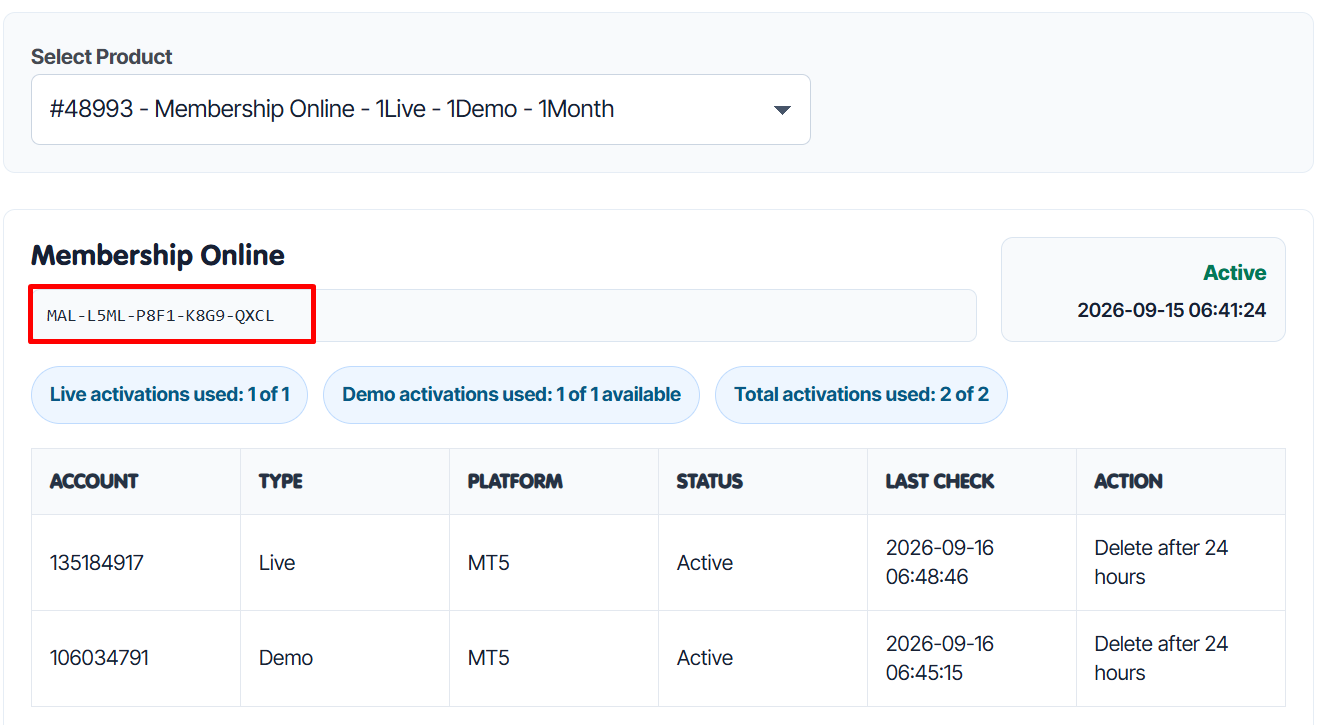
Choose your MeetAlgo Membership Online product from the Select Product dropdown.
You will see your Online Membership Key, membership status, expiry date, and activation usage.

3. Copy your Online Membership Key
Copy the Online Membership Key from your account dashboard.
Paste it into the product serial key input inside your EA or indicator.
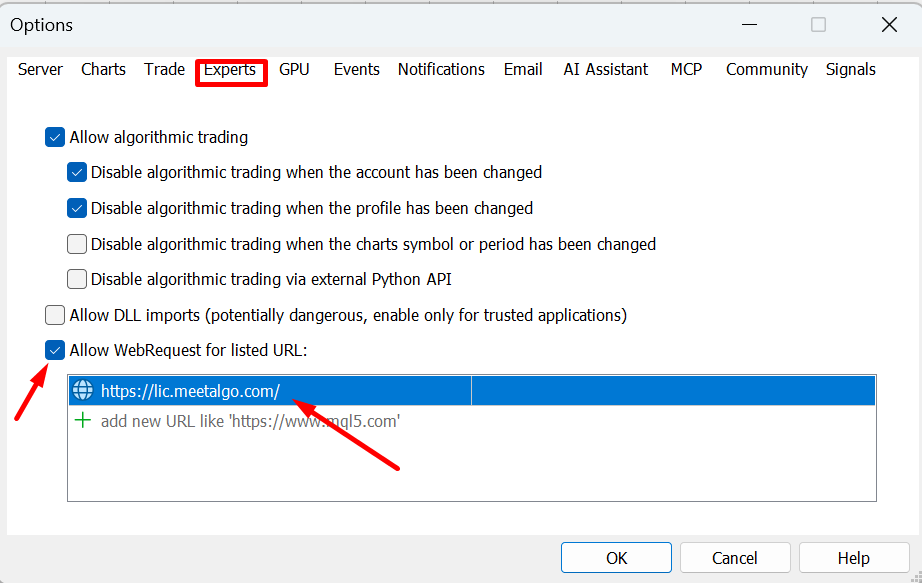
4. Allow WebRequest in MetaTrader
For online activation, MetaTrader must be allowed to contact the MeetAlgo license server.
In MetaTrader, go to:
Tools > Options > Expert Advisors
Enable:
Allow WebRequest for listed URL
Add this URL:
https://lic.meetalgo.com/
Click OK, then reattach or restart the EA.
5. Online activation rules
- Online Membership works with all supported MeetAlgo products that have the serial key input.
- Your live account limit depends on the membership plan you purchased.
- Demo account limit follows your membership activation rule.
- If an account is removed from the website, that account will stop working and the activation slot becomes available again.
- If an activation is disabled by admin, the EA will stop working but the activation still counts toward the limit.
- If your membership expires, online activation will stop working.
Important Note
- For new membership plans, use the Online Membership Key.
- For old or selected products that require offline activation, generate an Offline Serial Key from the Activation page.
- Always check your account number, account type, and membership status before contacting support.

