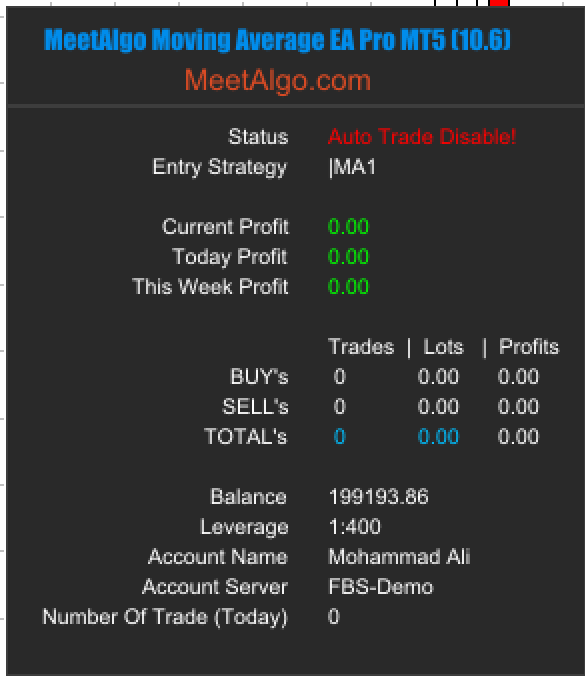
🔴 STEP 1: Terminal Auto Trading Disabled
You may see any of the following messages:
Auto Trade DisableAuto Trade Disable!EA STOP: Turn ON Auto Trading Button(latest version)
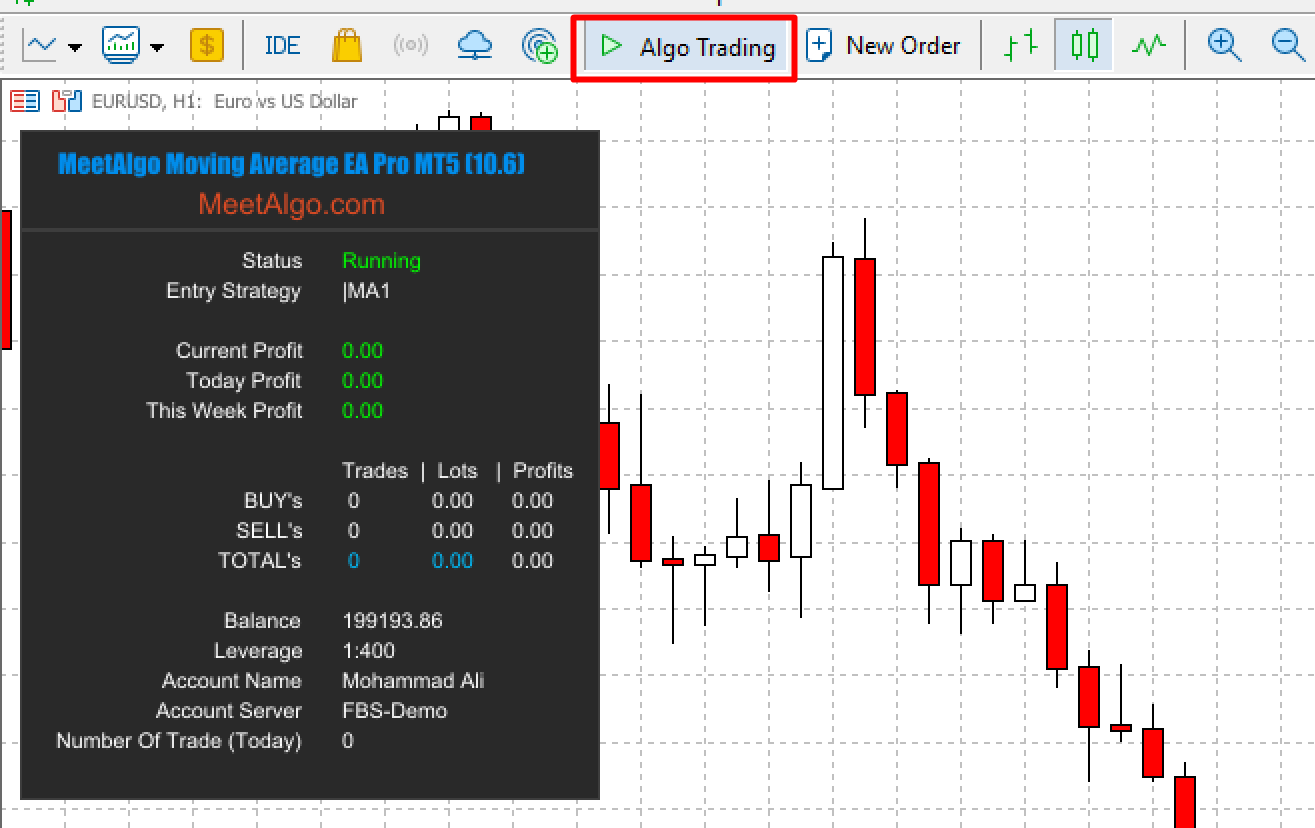
✅ Meaning:
Auto Trading is disabled at the MetaTrader terminal level.
✅ How to Fix the Problem (Step-by-Step)
Step 1: Enable Auto Trading in MetaTrader
Look at the top toolbar of your MetaTrader terminal.
Find the “Algo Trading / Auto Trading” button.
Button Status Meaning:
🔴 Red Box / Disabled → Auto Trading is OFF ❌
🟢 Green Box / Enabled → Auto Trading is ON ✅
👉 Click the button once until it turns GREEN.
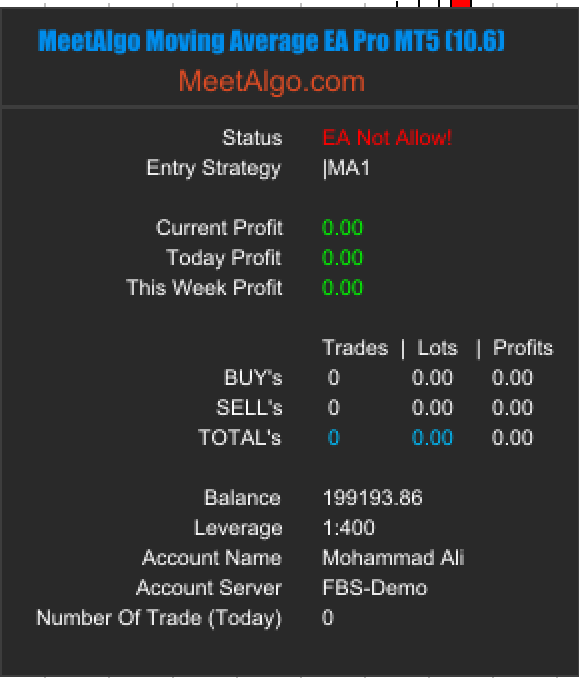
🔴 STEP 2: EA Trading Permission Disabled
You may see any of the following messages:
EA Not AllowEA Not Allow!Trading is forbiddenEA STOP: Enable "Allow Algo Trading" in EA(latest version)
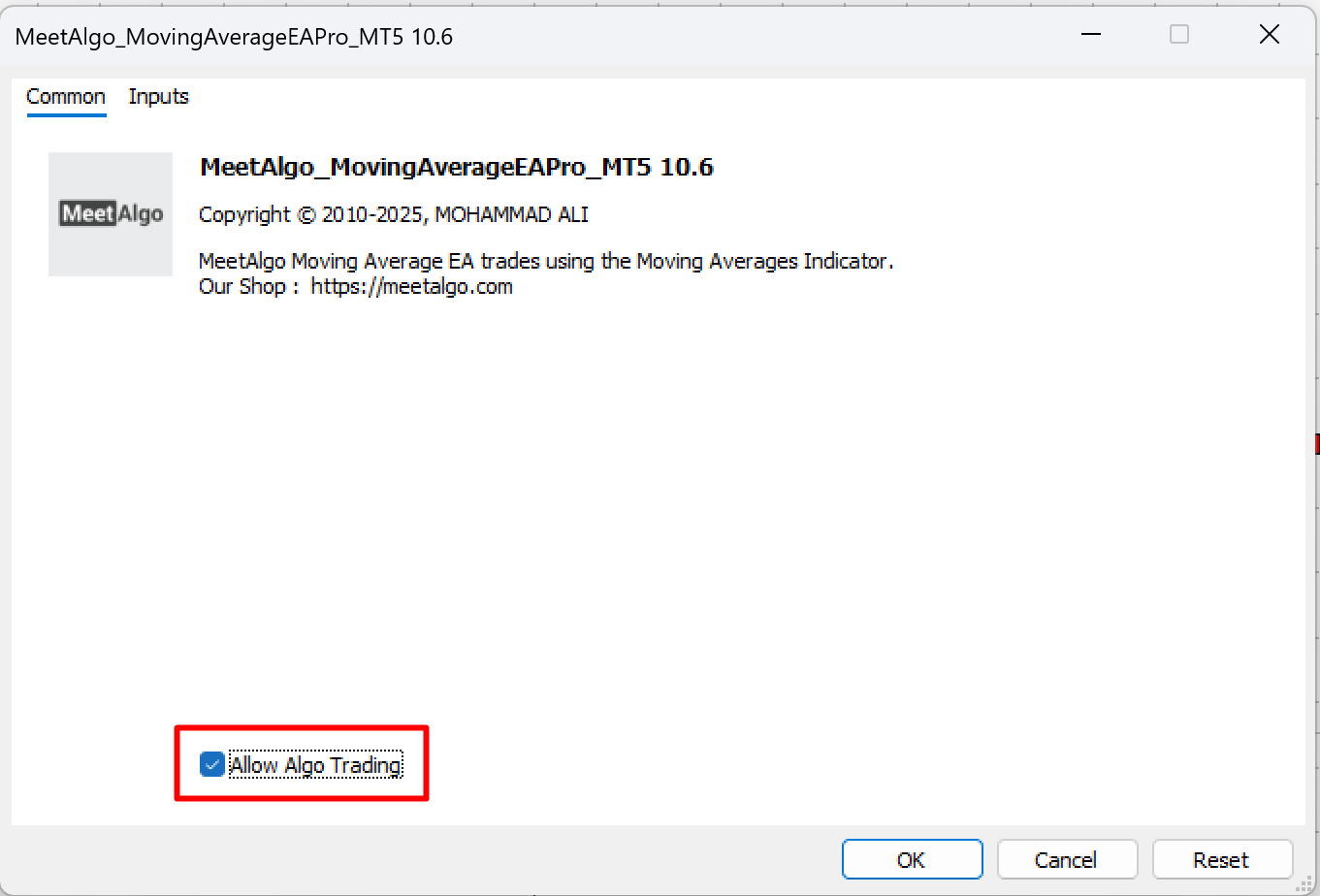
✅ How to Fix the Problem (Step-by-Step)
Step 1: Open EA Properties
On the chart where the EA is attached:
Press F7, or
Right-click on the chart → Expert Advisors → Properties
Step 2: Enable “Allow Algo Trading”
Go to the Common tab
Tick (✔) the checkbox:
Allow Algo Trading
Click OK to save changes.