

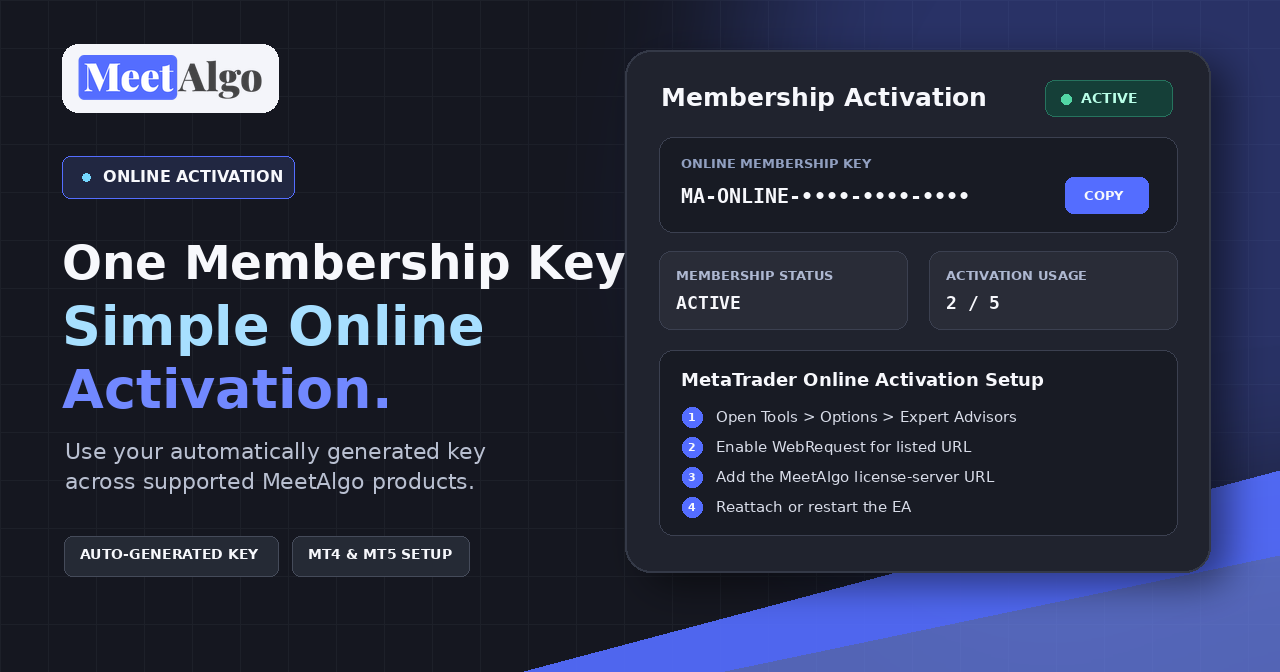
MeetAlgo Online Activation
MeetAlgo Membership activation is now simpler for current Membership plans. Instead of generating a separate offline serial key for every broker account, you receive one Online Membership Key that is created automatically after purchase
What Is the Online Membership Key?
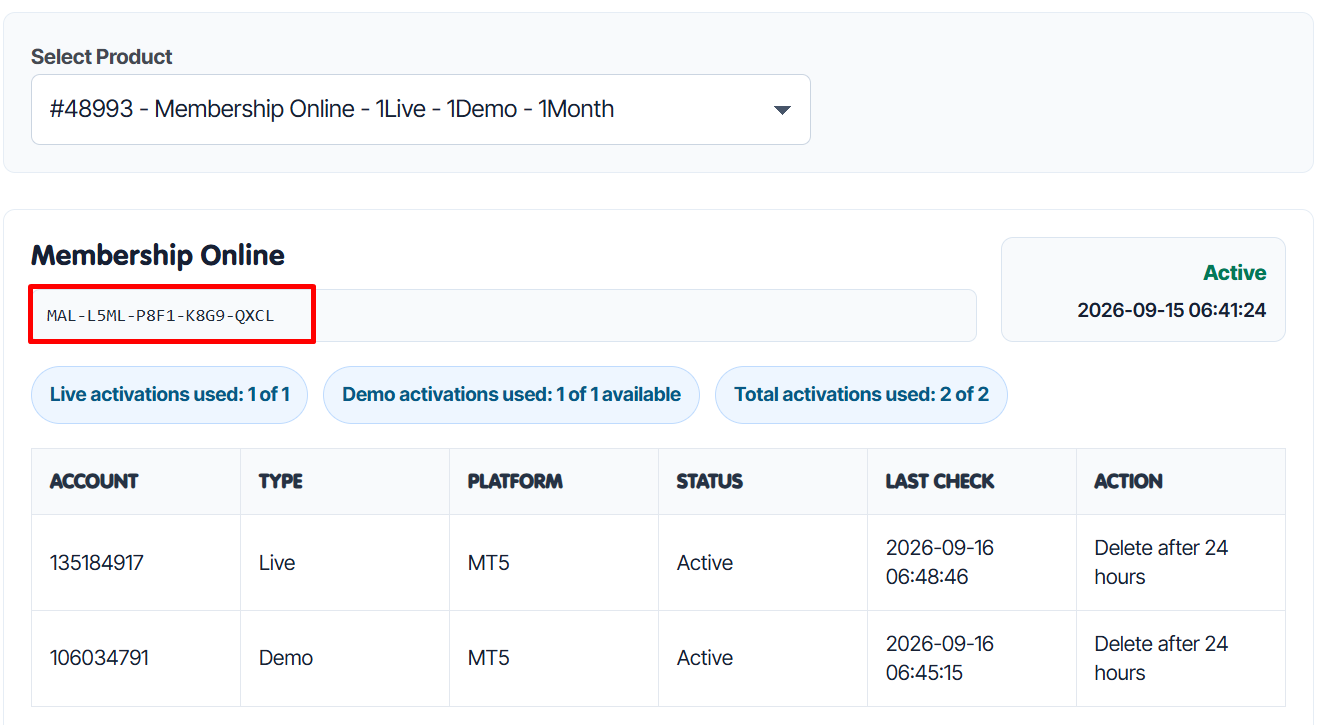
The Online Membership Key connects supported MeetAlgo products to your active Membership license. You can find the key, Membership status, expiry date, and activation usage from your MeetAlgo account dashboard.
You do not need to generate a separate offline key for each broker account. Your available live and demo activation limits are managed according to the Membership plan you purchased.
How to Find Your Online Membership Key
1. Open your MeetAlgo account dashboard
- Log in to your MeetAlgo account.
- Go to My Account > Activation.
2. Select your Membership product
Choose your MeetAlgo Membership Online product from the Select Product dropdown.
The page will display:
- Your Online Membership Key
- Membership status
- Expiry date
- Activation usage

3. Copy the Online Membership Key
Copy the key from your account dashboard and paste it into the product’s serial key input inside your EA or indicator.
Allow WebRequest in MetaTrader
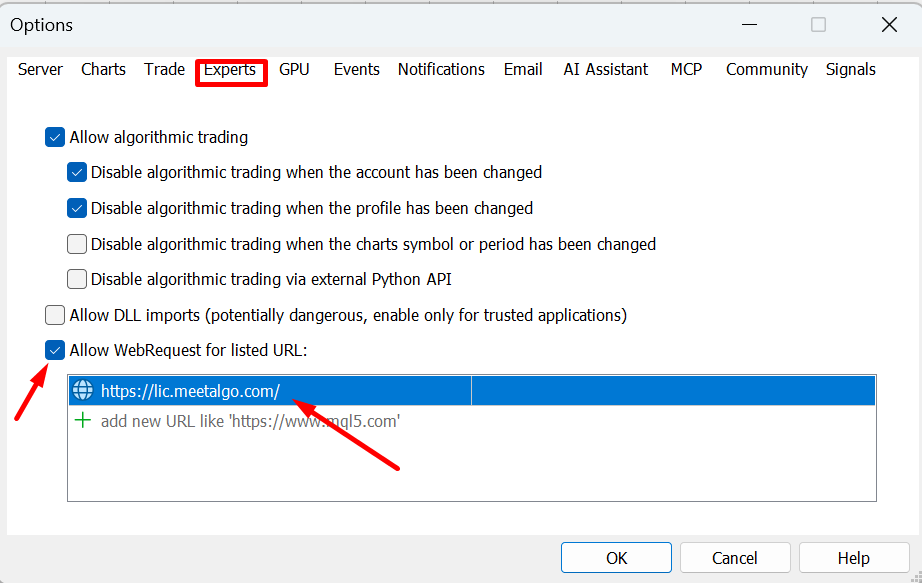
Online activation requires MetaTrader to contact the MeetAlgo license server. Complete these steps in MetaTrader:
- Go to Tools > Options > Expert Advisors.
- Enable Allow WebRequest for listed URL.
- Add
https://lic.meetalgo.com/to the allowed URL list. - Click OK.
- Reattach or restart the EA.
Important: Enter the URL exactly as shown, including
https://and the final slash.
Online Activation Rules
- Online Membership works with supported MeetAlgo products that include a serial key input.
- Your live-account limit depends on the Membership plan you purchased.
- Your demo-account limit follows your Membership activation rules.
- If you remove an account from the website, that account will stop working and the activation slot will become available again.
- If an activation is disabled by an administrator, the EA will stop working, but the disabled activation will still count toward your limit.
- If your Membership expires, online activation will stop working.
Online vs. Offline Activation
Current MeetAlgo Membership plans use the Online Membership Key. Older or selected products that specifically require offline activation must still use an Offline Serial Key generated from the Activation page.
If you are unsure which method your product uses, check the Activation page after selecting the product. A current Membership product will display its Online Membership Key automatically.
Before Contacting Support
If online activation is not working, check the following first:
- You copied the complete Online Membership Key.
- Your Membership status is active and has not expired.
- Your broker account information and account type are correct.
- WebRequest is enabled in MetaTrader.
https://lic.meetalgo.com/is present in the allowed URL list.- You reattached or restarted the EA after changing the WebRequest settings.
Trading involves risk. Past performance is not indicative of future results. MeetAlgo provides trading software and automation tools and does not provide financial advice.

