

Best VPS Setup for MeetAlgo Scalper EAs: What We Use and What to Check Before Buying
If you run a scalper EA on MetaTrader, the VPS is not just a place to keep the terminal open. It can affect execution speed, terminal stability, and how smoothly the EA can manage trades when the market moves fast.
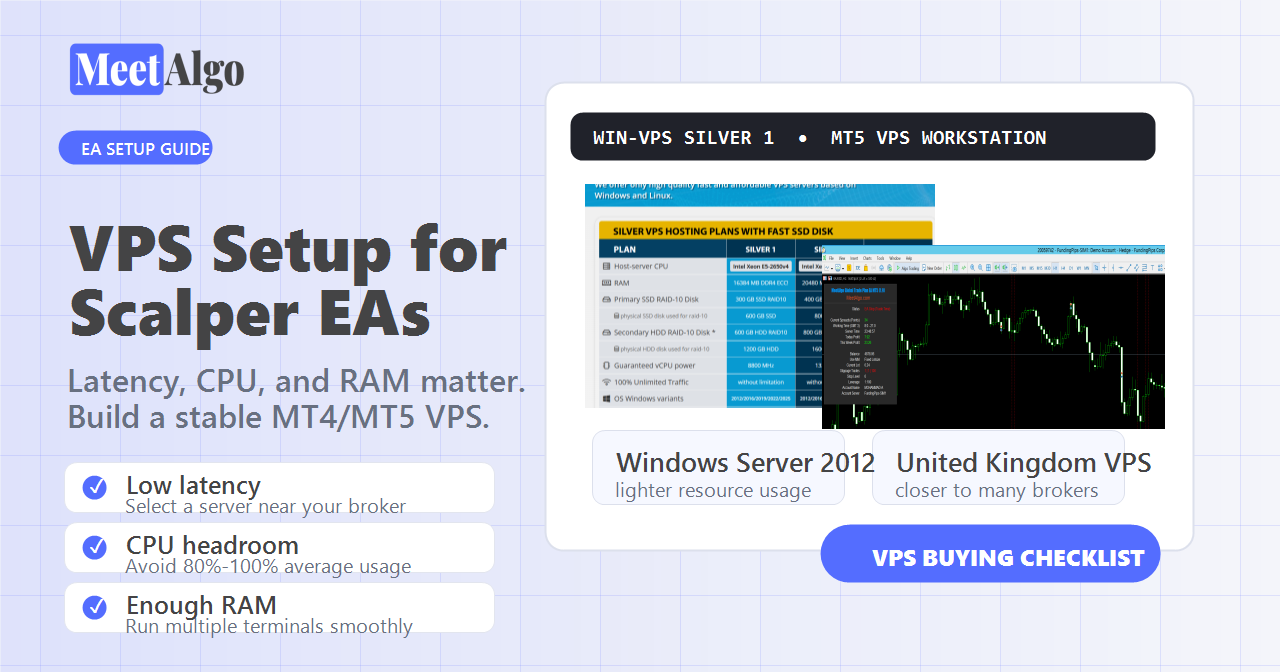
For our scalper EA setup, we currently use Win-VPS. In this guide, we will show the VPS plan we use, why we use it, and what you should check before buying a VPS for a scalping EA.
Trading involves risk. A VPS can improve uptime and execution environment, but it cannot guarantee trading results. EA performance can vary by broker, spread, execution, market condition, and settings.
The VPS Plan We Use
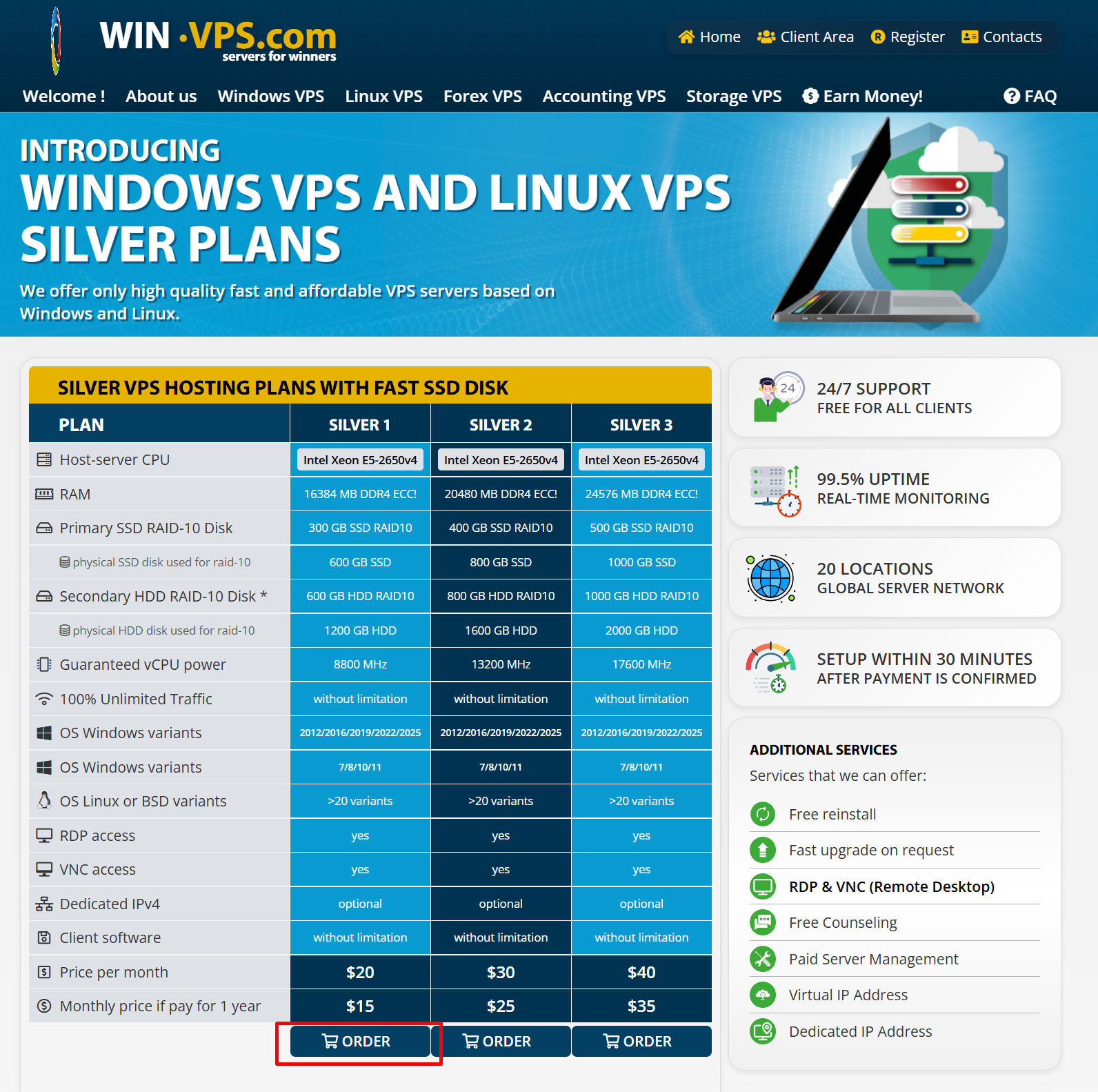
We use the Win-VPS Windows VPS Silver 1 plan.
To find it:
- Go to Win-VPS.
- Open Windows VPS.
- Select Silver.
- Choose Silver 1.
- Click Order.
According to the Win-VPS Silver plan page, Silver 1 includes 16 GB RAM, SSD RAID-10 storage, 8,800 MHz guaranteed vCPU power, unlimited traffic, RDP access, and Windows server options. The monthly price can be lower when paying yearly, so always check the live order page before purchase.
Billing Cycle
For our setup, we choose the 12 Months billing cycle because it gives a yearly discount compared with paying month by month.
If you are testing a VPS provider for the first time, you can start with a shorter billing cycle. But if you already know the VPS works well with your broker and terminals, yearly billing can reduce the monthly cost.
Server Location: Why We Choose United Kingdom
For scalping EAs, location matters because lower latency can help orders reach the broker server faster.
We usually choose United Kingdom because many brokers and liquidity routes are close to London infrastructure. If your broker server is also near London, this can help reduce latency.
However, the best location depends on your own broker server. If your broker server is in New York, Singapore, Amsterdam, or another location, choose a VPS location close to that server instead of automatically choosing the United Kingdom.
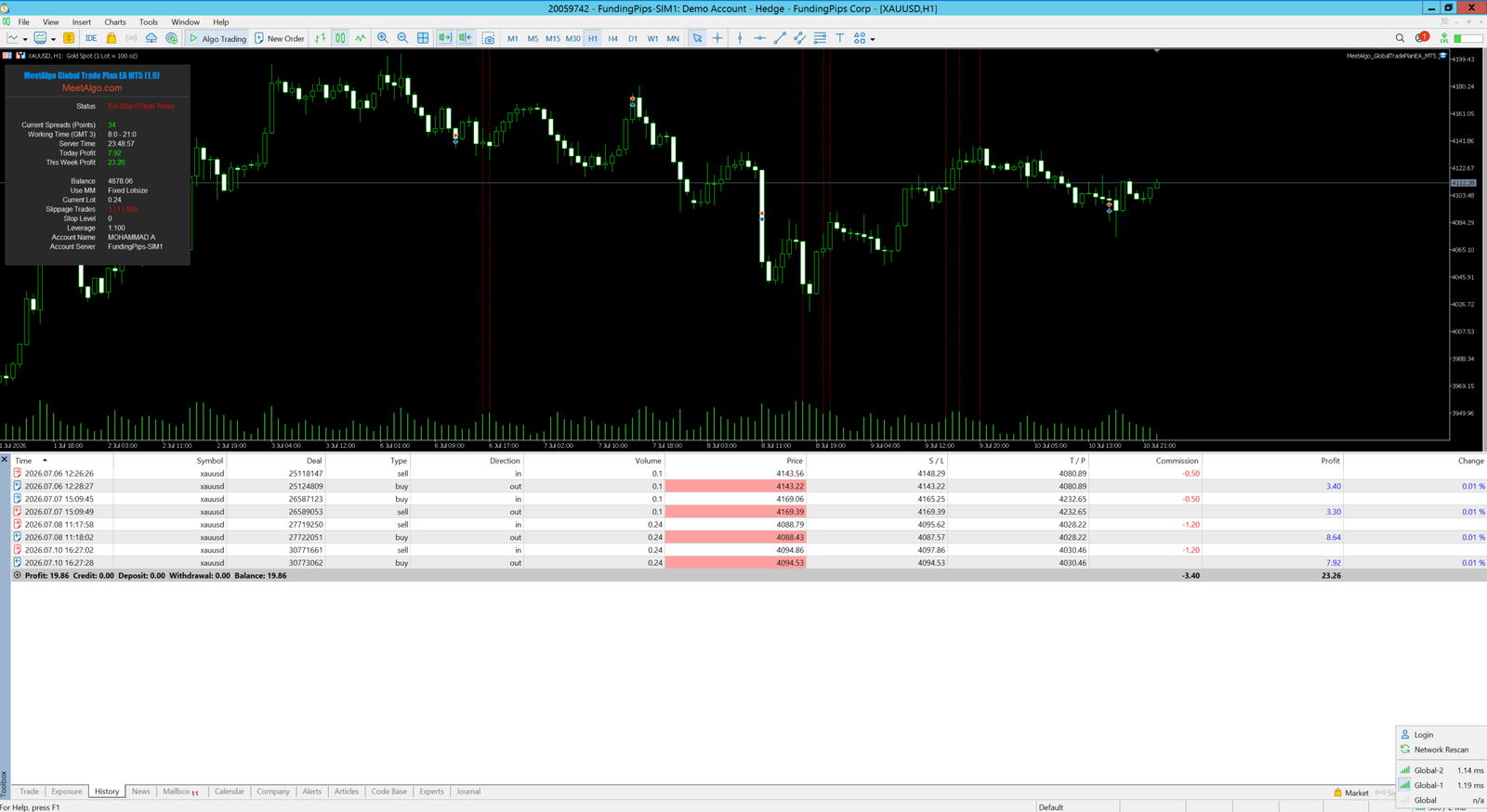
In MetaTrader, you can check the connection latency from the bottom-right connection/server area. Lower latency is generally better for scalping.
Operating System: Why We Use Windows Server 2012 R2
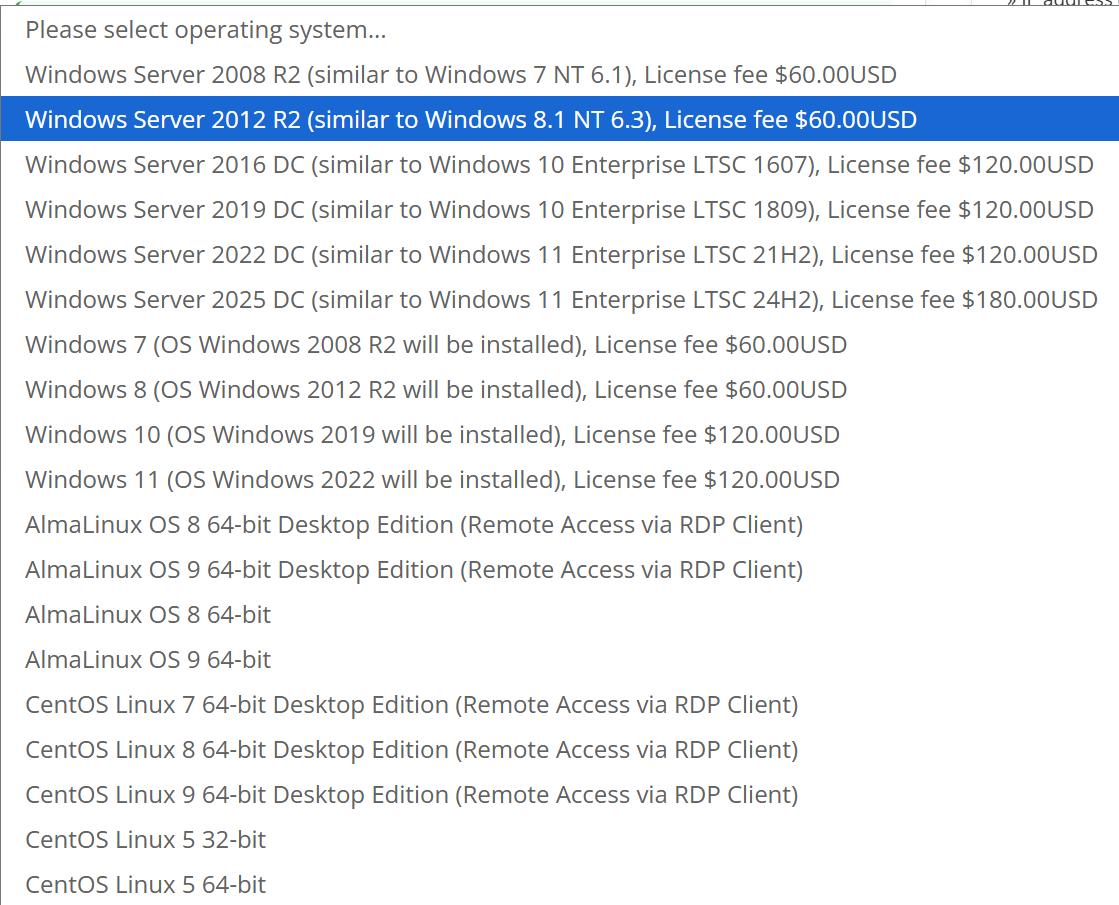
In the operating system selection, we use Windows Server 2012 R2.
We choose it because it uses fewer resources than newer Windows Server versions such as 2016, 2019, 2022, or 2025. For EA hosting, this can leave more CPU and RAM available for MetaTrader terminals.
For many EA users, Windows Server 2012 R2 is enough to run MetaTrader and multiple terminals more smoothly on the same VPS. Newer Windows versions can work too, but they usually need more RAM and background resources.
Important: Windows Server 2012 R2 is older software. Use strong passwords, keep the VPS dedicated to trading work, avoid unnecessary browsing or downloads, and follow your VPS provider’s security guidance. If your business requires the newest security support, choose a newer Windows Server version and buy more resources.
What Is Most Important for a Scalper EA VPS?
1. Low Latency
Latency is very important for scalper EAs because they may need faster order placement, order modification, and pending order handling.
For a scalper EA, try to choose a VPS location near your broker server. If latency is lower, order requests can reach the broker faster.
For our Global Trade Plan EA, latency is usually less sensitive than a scalper strategy. You can use it on many VPS locations as long as the VPS is stable. But for scalping, latency deserves more attention.
2. Enough CPU Headroom
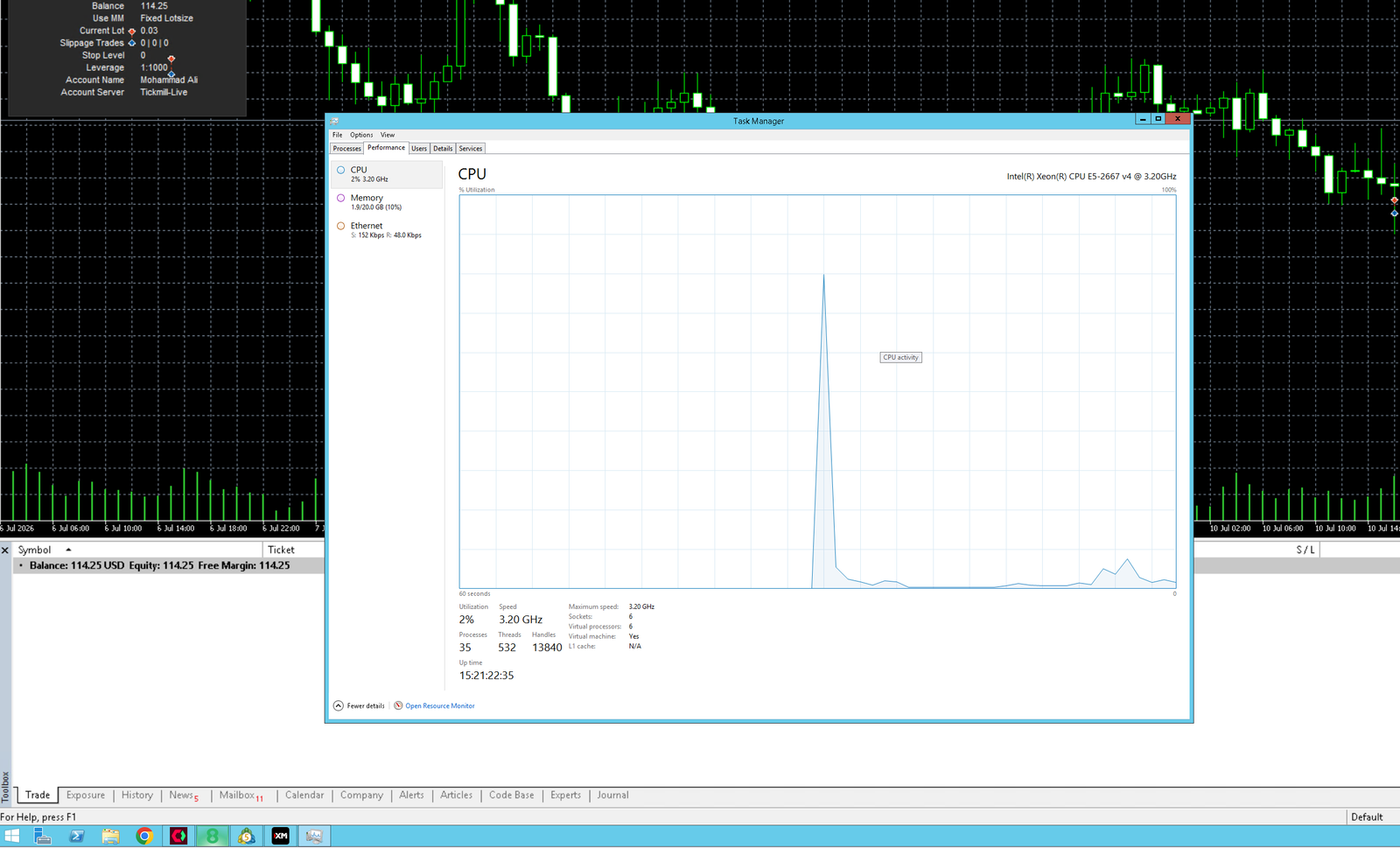
CPU usage is one of the most important things to monitor.
If you choose a low-resource VPS and run multiple MetaTrader terminals, CPU usage can stay around 80% to 100%. That is a problem. When the EA needs to react during scalping, open or modify orders, read market data, and update the terminal, the processor may hit 100% and slow everything down.
A good VPS should normally have enough headroom. If CPU is already near 80% most of the time, the VPS may become slow exactly when the EA needs fast execution.
3. Enough RAM for Multiple Terminals
RAM is important when you run more than one MT4 or MT5 terminal.
If memory usage becomes too high, Windows can slow down, terminals can lag, and chart updates can become delayed. When choosing a VPS, think about how many terminals you want to run now and how many you may add later.
4. Stable Connection and Uptime
Your VPS should stay online even when your local computer is off. For automated trading, uptime matters because the EA must remain connected to the broker server.
Before buying, check:
- VPS uptime policy
- Server location options
- RDP access
- Support response
- Upgrade options
- Reinstall options
Our Practical Recommendation
For our own scalper EA environment, we use:
| Setting | Our Choice |
|---|---|
| VPS provider | Win-VPS |
| Plan group | Windows VPS Silver |
| Plan | Silver 1 |
| Billing cycle | 12 Months |
| Location | United Kingdom |
| Operating system | Windows Server 2012 R2 |
| Main reason | Good balance of price, resources, and latency for our broker setup |
This setup gives enough room for MetaTrader terminals while keeping Windows resource usage lower than newer server versions.
Final Checklist Before You Buy a VPS for Scalper EA
Before ordering a VPS, check these points:
- Choose a VPS location close to your broker server.
- Make sure CPU usage will not stay near 80% to 100%.
- Choose enough RAM for all terminals you plan to run.
- Use Windows Server 2012 R2 if you want a lighter Windows environment, or choose a newer OS if security policy requires it.
- Test latency inside MetaTrader after setup.
- Keep your VPS clean: only install trading software and required tools.
- Monitor CPU and RAM after adding each terminal.
A VPS is not a magic performance tool, but it is an important part of a stable EA setup. For scalping, focus on low latency, enough CPU headroom, enough RAM, and a clean Windows environment.
Past performance does not guarantee future results. MeetAlgo provides trading software and product education only and does not provide financial advice.

