
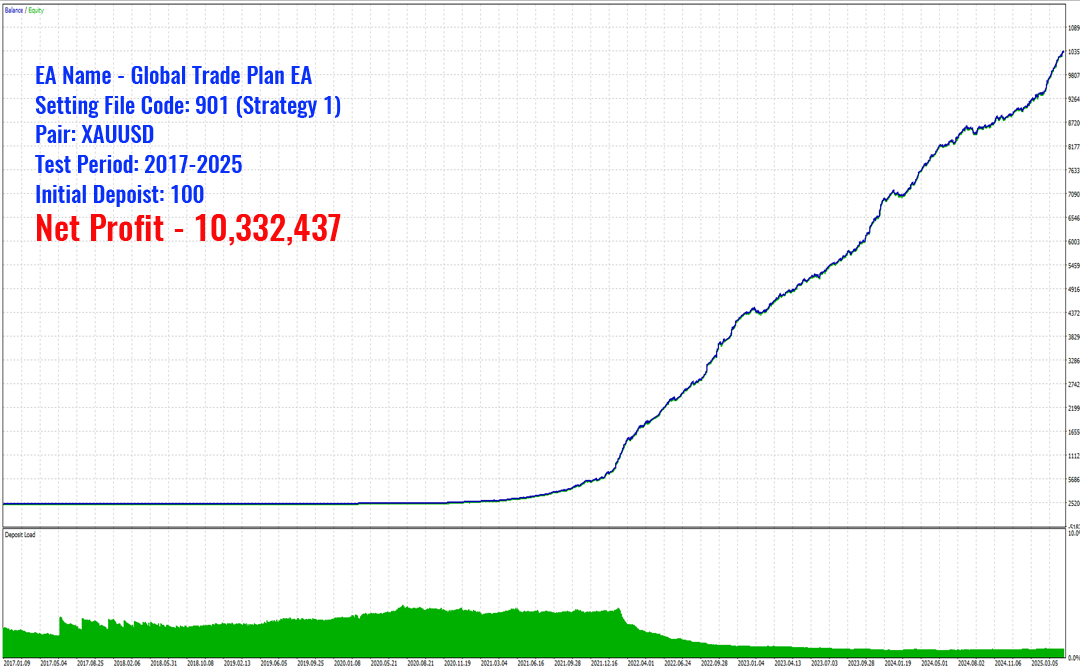
MeetAlgo Global Trade Plan EA is a powerful breakout scalping robot specially designed and optimized for Gold (XAUUSD) trading. It uses a cutting-edge algorithm to detect precise breakout zones during periods of high volatility and executes trades with strict risk control. Built for aggressive short-term trading, the EA ensures rapid profit targeting using fixed Stop Loss (SL) and Take Profit (TP) levels—without the use of dangerous strategies like Martingale or Grid.
This EA is designed to operate fully automatically, minimizing human intervention. The embedded Advanced Trading Logic Engine dynamically adapts to changing market volatility, capturing price impulses with high efficiency. It’s built to work with as low as $100 starting capital and does not require complex setup—just plug and trade.
Key Advantages
- Fully automated scalping strategy optimized for XAUUSD (Gold).
- No Martingale, No Grid – every trade uses a fixed Stop Loss.
- Always uses Stop Loss and Take Profit to protect your capital.
- Works with a small account starting from just $100.
- Advanced volatility detection to time breakouts effectively.
- Includes virtual pending order system to enhance entry precision.
- Includes trade pause filter before high-impact news to avoid slippage.
- Supports both fixed lots and risk-based lot sizing.
- Trailing stop system and breakeven logic built-in.
Verified Performance & Real Trading Results
Third-Party Verified Performance
MeetAlgo Global Trade Plan EA has been independently tested and reviewed by Algo Trading Space, a well-known third-party trading research platform.
Their team conducted both backtesting and live account evaluation to measure real-world performance under actual market conditions.
📊 Live Account Results (Algo Trading Space):
- Total Gain: +76.51%
- Monthly Gain: +19.63%
- Profit Factor: 3.25
- Trading Period: 85+ Days
These results demonstrate the EA’s ability to consistently capture market opportunities while maintaining controlled risk.
🎥 Live Result:
👉 https://algotradingspace.com/trading-stats/live
Real Live Accounts (MeetAlgo Verified)
In addition to third-party testing, we are also running our own live trading accounts to ensure transparency and continuous performance monitoring.

These account provide real-time performance tracking, allowing you to monitor:
- Profit growth
- Drawdown behavior
- Trade history
- Risk management
PROP Fund Progress (FundingPips)
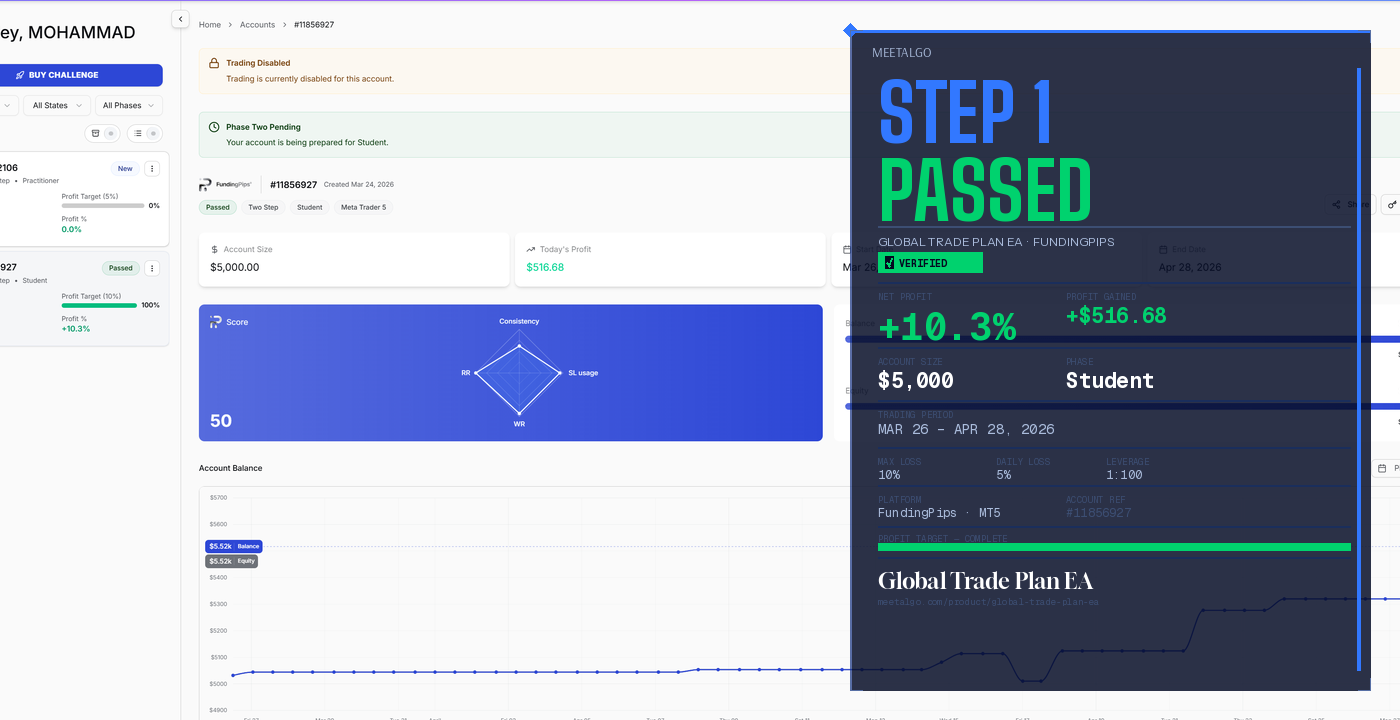
We are also actively running Global Trade Plan EA on a FundingPips 2-Step $5,000 challenge account.
✅ Step 1 Passed Successfully (Click to View Report)
✅ Step 2 Passed Successfully (Click to View Report)
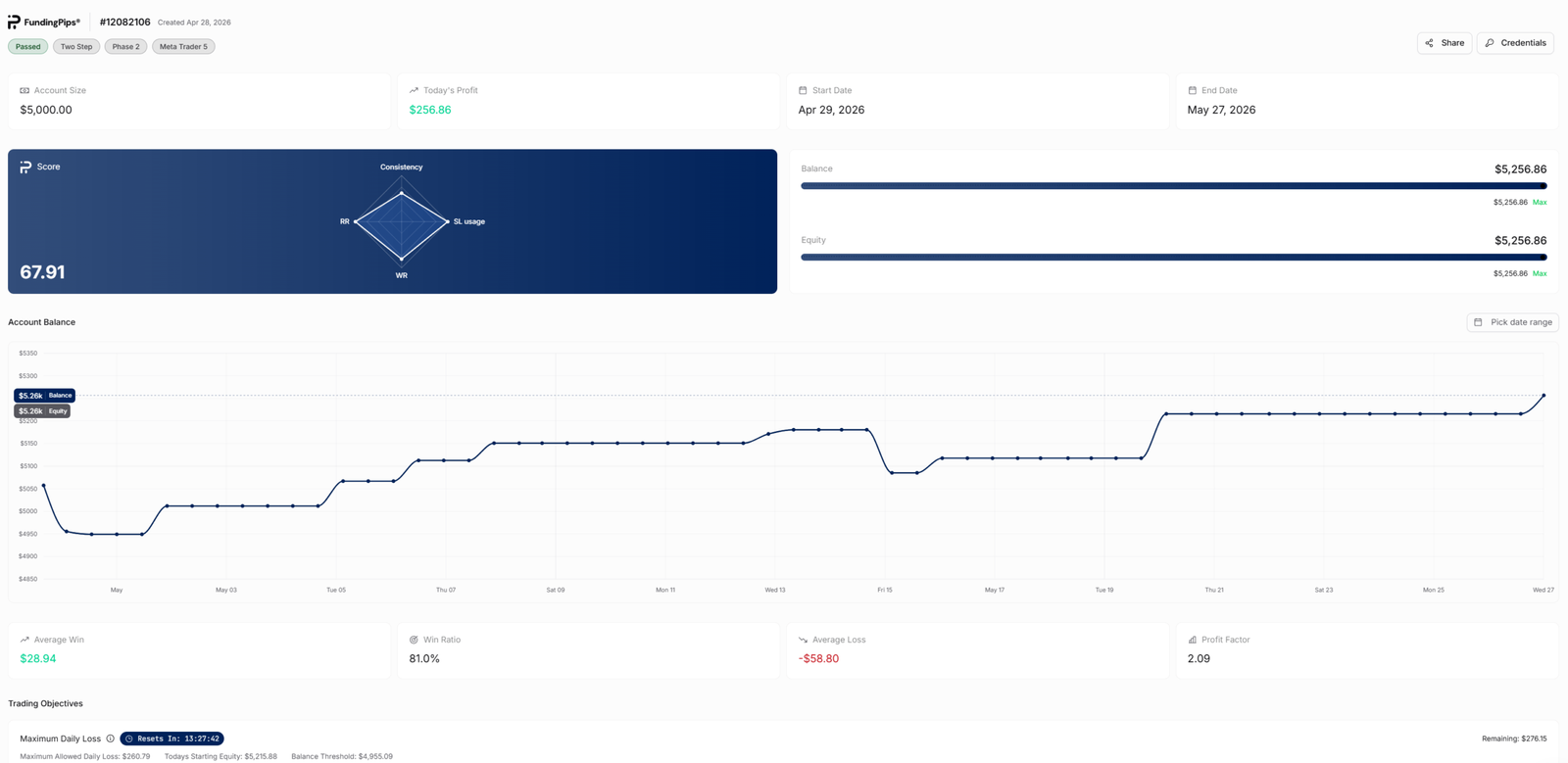
This demonstrates that the EA is capable of operating under strict trading rules, including:
- Daily loss limits
- Maximum drawdown control
- Consistent risk management
⚠️ PROP performance depends on account configuration, lot size, and risk settings. Proper setup is required.
Requirements for Best Performance
- To get the best performance from Global Trade Plan EA, the following setup is recommended:
- Symbol: XAUUSD (Gold)
- Timeframes: H1 (Depend on Strategy)
- Broker: Raw or ECN broker with low spreads
- Spreads: Preferably below 15 points on XAUUSD
- Stop Level: 0 points (or minimal)
- Execution Speed: VPS latency below 4ms (Best with MQL5 VPS)
- Leverage: 1:100 or higher recommended
Default Settings & Setting Files
The EA comes pre-configured with optimized default settings for XAUUSD on the H1 timeframe. You can start trading immediately with these settings.
There are two strategies (more will be added in the future):
| Strategy Name | Pair | Timeframe | Setting File |
|---|---|---|---|
| Strategy 1 | XAUUSD | H1 | Default (No file needed) |
🔗 For the latest or updated setting files, visit our Setting Bank:
👉 https://meetalgo.com/tools/setting-file/